

Server-side tracking routes analytics and ad events through a server you control instead of sending them straight from a visitor's browser to a vendor. That single architectural shift gives marketers signal durability against ad-blockers and tracking prevention, faster page performance, and control over what data leaves your systems. It does not remove your consent obligations under GDPR or similar laws.
TL;DR:
- Server-side tracking improves signal durability by bypassing browser restrictions like ad-blockers and privacy controls, potentially recovering up to 40% of lost conversions.
- Proper setup requires mapping a first-party subdomain, thorough testing, and integrating consent signals to ensure compliance and data accuracy.
- Moving data collection to your server does not eliminate GDPR or privacy law obligations, which still require proper user consent and data minimization practices.
- Verification involves using platform-specific tools and ensuring event data and field values match client-side signals, preventing silent errors or data corruption.
- Prioritize server-side migration mainly if your high ad spend or app conversions reveal significant tracking gaps, and implement phased rollout to validate accuracy and stability.
Table of Contents
- What Is Server-Side Tracking and How Does It Work?
- Why Server-Side Tracking Matters for Marketers
- What Server-Side Tracking Doesn't Fix
- How Do You Set Up Server-Side Tracking?
- How Do You Verify Server-Side Tracking Is Working?
- How Do You Prevent Double-Counted Conversions?
- When Should You Actually Prioritize This Migration?
- Where Cassandra Fits Once Server-Side Tracking Is Live
- Where to Go Deeper
- Sources
- FAQ
What Is Server-Side Tracking and How Does It Work?
Server-side tracking replaces the direct browser-to-vendor connection with a middle layer: a server container that receives, processes, and forwards event data on your behalf. In Google's server-side Tag Manager model, "clients" claim incoming HTTP requests and parse them into standard event objects, which tags, triggers, and variables then process much like a conventional web container does. The server-side tagging architecture is the reference point most teams build against.
Getting data into that container happens through a few established paths:
- gtag.js with a server_container_url parameter, redirecting standard web traffic to your container.
- Measurement Protocol requests sent directly from a server or app backend.
- Platform SDKs for mobile apps that need server-side collection without a browser.
- Server-to-server calls for backend systems, CRMs, or point-of-sale platforms feeding events directly.
Google's own implementation guidance lists image pixel, fetch, XHR, and service worker as supported transport methods, and it recommends mapping a first-party subdomain (something like metrics.yoursite.com) before sending production traffic. That mapping matters more than it sounds. A container living on a generic third-party domain gets flagged and blocked by ad-blockers and browser privacy lists; one served from a first-party subdomain sets cookies as first-party, which can reduce blocking rates.
Why Server-Side Tracking Matters for Marketers
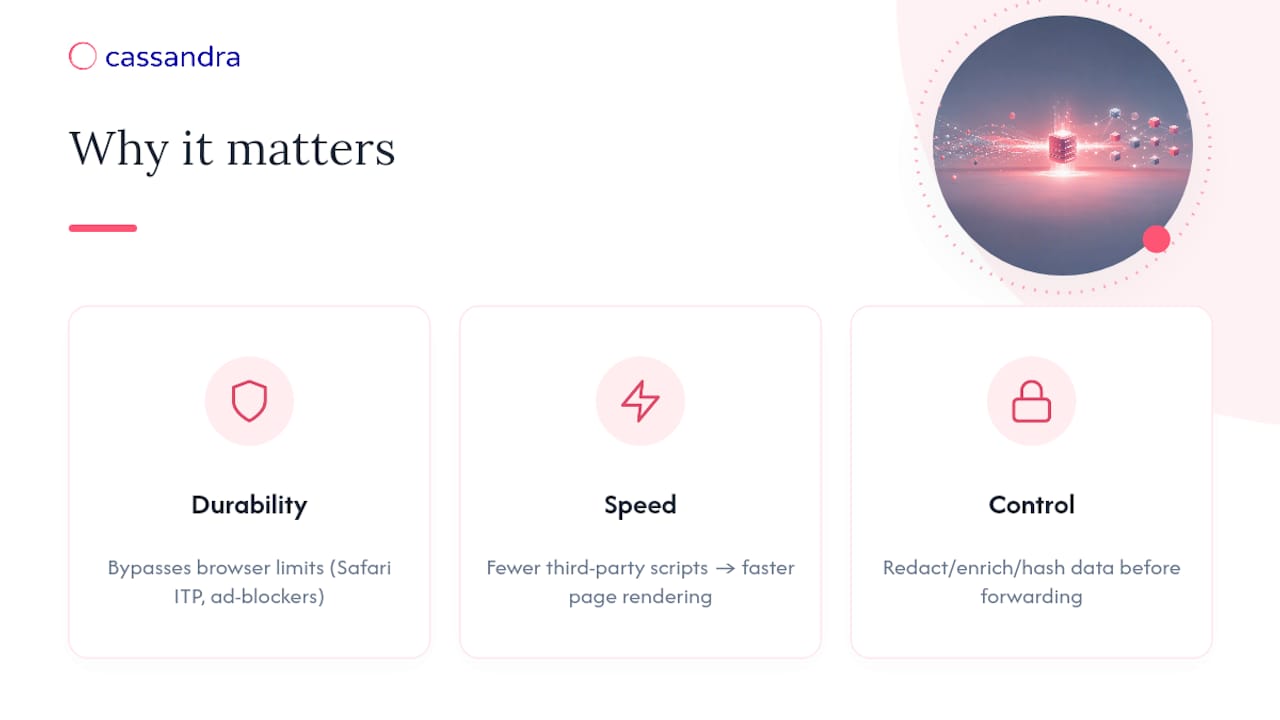
The case for server-side tracking comes down to three measurable gains: durability, speed, and control.
Client-side tags live and die by what the browser allows. Safari's Intelligent Tracking Prevention, ad-blockers, and corporate firewalls routinely strip or throttle JavaScript-based pixels before they fire. A server container isn't subject to those browser-level restrictions the same way, since the request originates from your infrastructure rather than the visitor's device.
Performance improves too, because fewer third-party scripts load in the browser, which speeds up page rendering, particularly on mobile.
The recovery math is real but not universal. Industry analyses of first-party server-side collection paired with conversion APIs, using click IDs and hashed identifiers with deduplication, report recovering 15% to 40% of conversions otherwise lost to client-side signal loss. That range depends heavily on your traffic mix, browser makeup, and how well you've implemented match keys.
Data control rounds out the case: before forwarding, you can redact sensitive fields, enrich events with CRM data, or hash personal identifiers, none of which is possible once a pixel fires directly from a browser to a vendor.
What Server-Side Tracking Doesn't Fix
Server-side tracking is an engineering architecture, not a legal shortcut. Moving collection to your own server changes where processing happens, not whether you have a legal basis to process personal data in the first place. Iubenda's guide to server-side tracking makes this point directly: GDPR and ePrivacy obligations travel with the data, not with the wire it runs over.
A few practical constraints teams underestimate:
- Consent management still gates everything. Your CMP has to pass the visitor's consent choice to the server, typically via a cookie, header, or API call, and your pipeline needs to enforce that gate per event, not just at the tag level.
- Safari's ITP still caps cookie lifespan, even for first-party cookies set by a correctly mapped subdomain, so you're managing shorter windows, not unlimited ones.
- Engineering and maintenance cost is real. A server container needs monitoring, patching, and someone accountable for uptime, unlike a client-side tag you can drop and forget.
- Data minimization has to be designed in, not bolted on. Decide what you forward, hash, or drop before you build, not after a privacy review flags it.
Pro Tip: Treat your consent management platform as part of your tracking architecture, not a separate compliance layer. If consent status doesn't reach your server as a structured signal, you're forwarding data you have no legal basis to send, no matter how clean your container looks.
How Do You Set Up Server-Side Tracking?
A server-side migration goes wrong most often because teams skip validation and flip the switch all at once. Work through these in order:
- Choose your hosting model. A cloud-run container (Google Cloud Run is the common default), a managed vendor solution, or an in-house endpoint each carry different trade-offs in cost, control, and maintenance burden.
- Map a first-party subdomain and confirm DNS and SSL are correctly configured before enabling production mode.
- Implement dual-tagging. Run client-side and server-side tags in parallel long enough to validate parity, since phased rollout guidance consistently recommends this step to catch measurement drift before it reaches production data.
- Configure your clients. Set up a GA4 client for standard web events, a Measurement Protocol client for server-to-server data, and custom clients for anything app-specific.
- Wire consent signals from your CMP into the server pipeline, and hash personally identifiable information at the point of collection rather than downstream.
- Plan logging, storage, and retention policies, including who has access to raw event data and how long it's kept.
A few build-level practices are worth locking in from day one:
- Return a 202 Accepted response on your ingestion endpoint rather than a full payload.
- Hash IP addresses with a daily-rotating salt instead of storing them raw.
- Use idempotency keys to prevent duplicate writes when requests retry.
- Fall back to server-side session identifiers when cookies are blocked or absent.
These come from practitioner implementation guides on privacy-first server endpoints, and they're the details that separate a container that works in testing from one that holds up under real traffic.
How Do You Verify Server-Side Tracking Is Working?
Verification is where migrations either earn trust or quietly break something. Tag Manager's preview mode paired with browser devtools lets you confirm requests actually reach your container and get parsed into the events you expect, before anything touches production data.
From there:
- Run a partial traffic rollout and compare server-side event counts against client-side counts for the same window.
- Use platform-specific test tools, Meta's Test Events and Google's Tag Assistant among them, and track toward consistently high match rates rather than a one-time pass.
- Set alerts for large deltas in event volume, forwarding failures, or spikes in rejected requests, since silent drift is the most common failure mode after cutover.
Pro Tip: Don't just check that events arrive. Check that the values inside them, currency, order totals, product IDs, match what the client-side version would have sent. A container that "works" but silently mangles a field is worse than one that fails loudly.
How Do You Prevent Double-Counted Conversions?
Forwarding events to multiple platforms only helps if each one gets a clean, deduplicated signal. Normalize your schema before it hits GA4, Meta CAPI, Google Enhanced Conversions, or the TikTok Events API. Each expects slightly different field names and formats, and inconsistency here is where match rates quietly erode.
- Assign a stable event_id at the source and send it through both client and server paths, letting each platform's own deduplication logic collapse duplicates into a single attributed conversion, a practice detailed in deduplication strategy guidance.
- Include click IDs (gclid, fbclid, ttclid) or hashed identifiers like email and phone hashes to materially improve match rates on conversion APIs.
- Decide deliberately whether to run hybrid client and server flows. Redundancy catches edge cases, but every added path is another thing that can drift out of sync, a trade-off vendor-neutral comparisons consistently flag as the real cost of hybrid setups.
When Should You Actually Prioritize This Migration?
Server-side tracking pays off fastest for teams with high ad spend, app-based conversion events, or CRM-match use cases where client-side signal loss is already visible in reporting gaps. If you're not seeing that gap, the engineering investment may outrun the return.
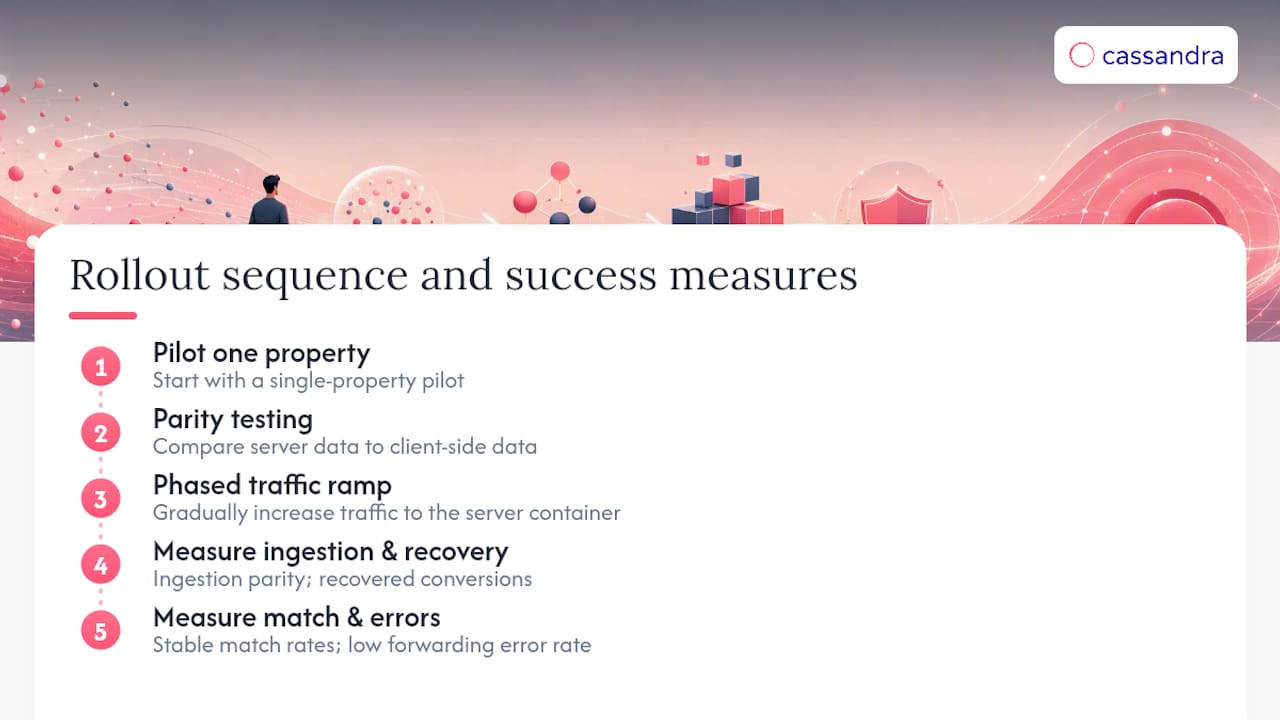
The safest rollout sequence is a pilot on one property, parity testing against existing client-side data, then a phased traffic ramp. Judge success by ingestion parity, recovered conversions, stable match rates, and a low forwarding error rate, not by whether the container is technically live.
Where Cassandra Fits Once Server-Side Tracking Is Live
Getting your event pipeline right solves collection. It doesn't tell you whether the conversions you're now capturing represent real incremental revenue or spend that would have converted anyway. Measurement platforms can use methods like incrementality testing, geo-lift experiments, and marketing mix modeling to validate what your server-side data is actually telling you, not just confirm that events arrived.
Pairing the two makes sense in a specific order. Once match rates stabilize and conversion recovery holds steady after your migration, that's the moment to run an incrementality test against the newly recovered volume, rather than assuming every recovered conversion is marketing-driven. Teams evaluating whether their measurement stack accounts for offline sales attribution and cross-device behavior alongside server-side collection can start with Cassandra's marketing measurement use cases to see where the two layers connect.
Where to Go Deeper
Google's server-side tagging introduction and data-sending guide cover setup mechanics. For consent and legal grounding, see Iubenda's guide. For hands-on endpoint code, consult AnalyticsApi's setup guide, and for consent-aware implementation support, 121 Group's GTM services work directly with server-side configurations.
Sources
- An introduction to server-side tagging
- Server-side tracking: the complete guide for marketers
- Client vs Server-side Tracking - Tealium
- Server-Side Tracking: Complete Setup Guide Without Cookies – AnalyticsApi
FAQ
What Is Server-Side Tracking?
Server-side tracking collects and forwards analytics or ad events through a server you control, rather than sending them directly from the visitor's browser to a vendor. This gives you a chance to process, filter, or enrich data before it reaches its destination, and it's the architecture underlying Google's server-side Tag Manager.
What Is the Server-Side Tracking Process?
A client-side script or app sends event data to a server container, which uses "clients" to parse the incoming request into a standard event object. Tags and triggers inside that container then process the event and forward it to destinations like GA4 or ad platform conversion APIs, following the flow Google outlines in its guidance on sending data to a server container.
Is Server-Side Tracking Legal?
Yes, server-side tracking is legal, but it doesn't change your underlying legal obligations. You still need a valid legal basis to collect personal data, and your consent management platform still has to pass visitor consent choices to the server so only approved data gets forwarded, a requirement Iubenda's guide walks through in detail.
What Is the Difference Between Client-Side and Server-Side Tracking?
Client-side tracking fires directly from the visitor's browser to a vendor, which makes it simple to set up but vulnerable to ad-blockers, browser tracking prevention, and script blocking. Server-side tracking routes that same data through a server you control first, improving durability and giving you a point to filter or enrich data, though many teams still run both in a hybrid setup rather than fully replacing one with the other.